From satellite map
to sealed submittal.
Draw the bypass where it will actually go. BetterPumpEx works out the pipe lengths, elevations, TDH and NPSH as you place things, guides you to a pump that can hold the duty, and builds the package your engineer seals.
No spreadsheets — and you don't have to be an engineer to build it.
Step one
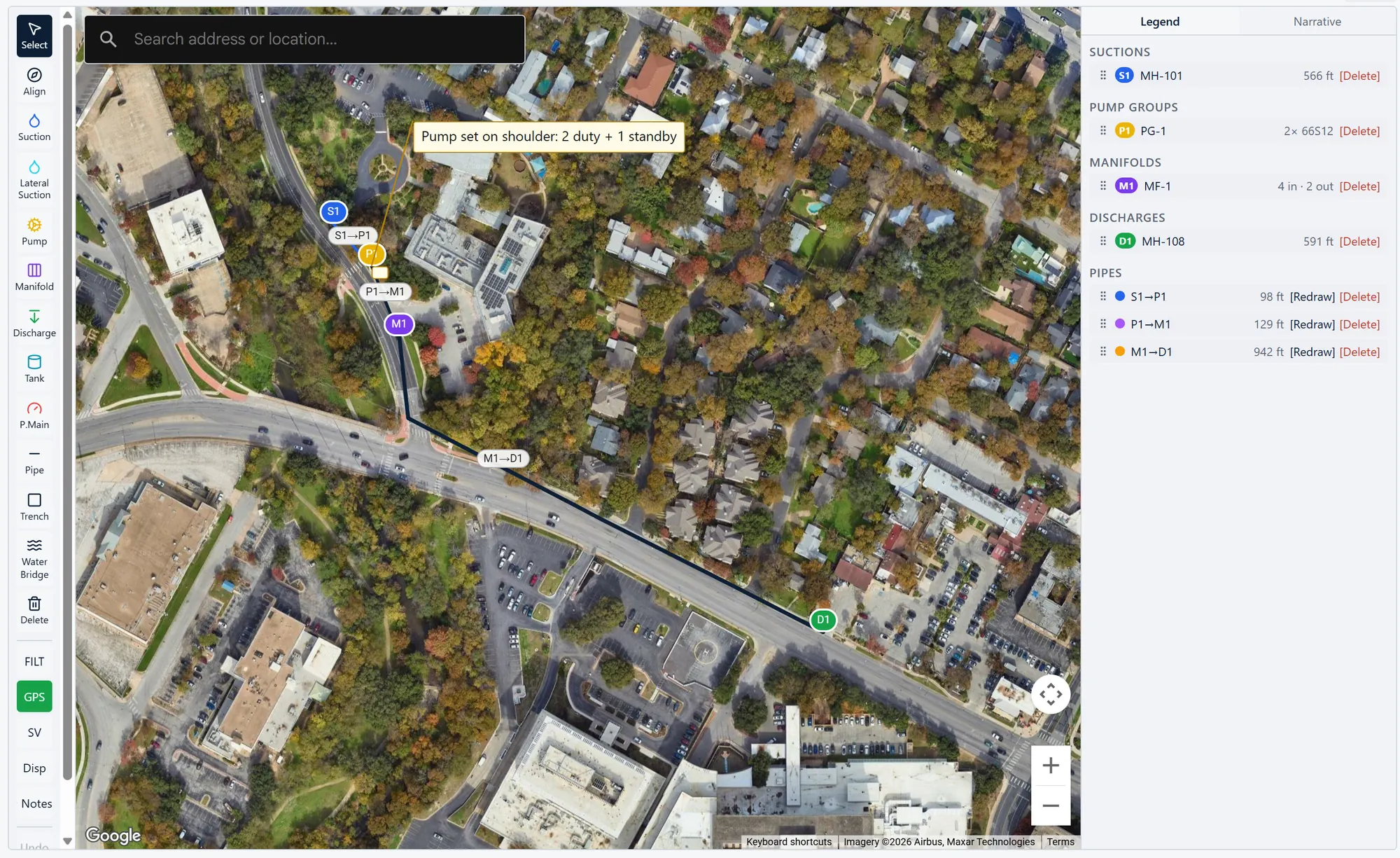
Draw it on the map.
Search the address and click to place suctions, pump groups, manifolds and discharges. Draw pipe along the real route, and laterals tie in where they meet.
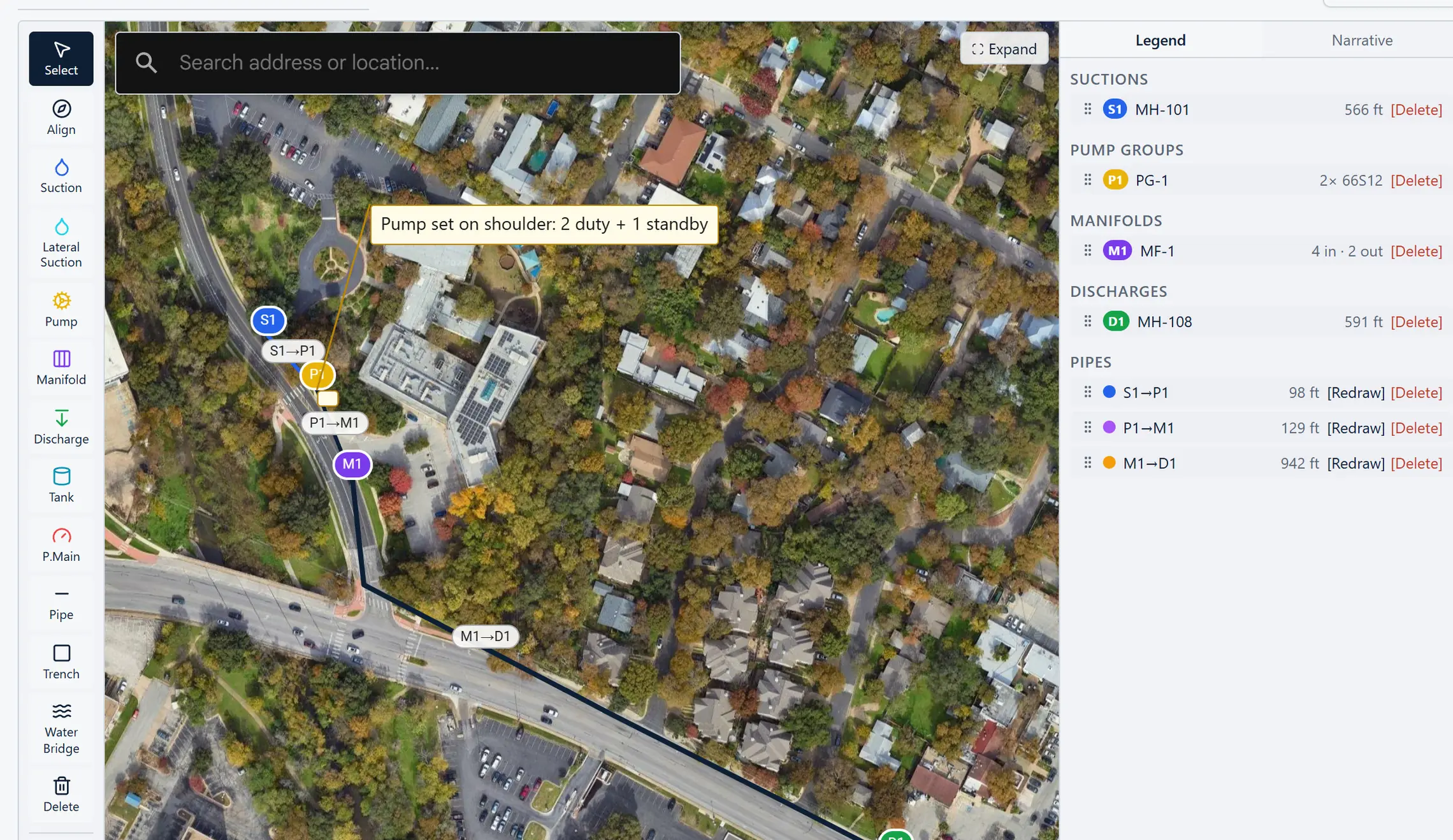
Map data © Google · Satellite imagery © Airbus, Maxar Technologies.
Thirteen tools
Keyboard shortcuts on the ones you reach for most. Drag any bend to reshape a run, and rotate the map to line it up with a drawing.
Geometry, not guesses
Pipe lengths come off the drawing, elbows are counted from each bend, and ground elevation is filled in for every item you place.
More than manholes
Pull from a suction manhole, a tank or a pressure-main tap. Notes and callouts you add print on the plan sheets.
Step two
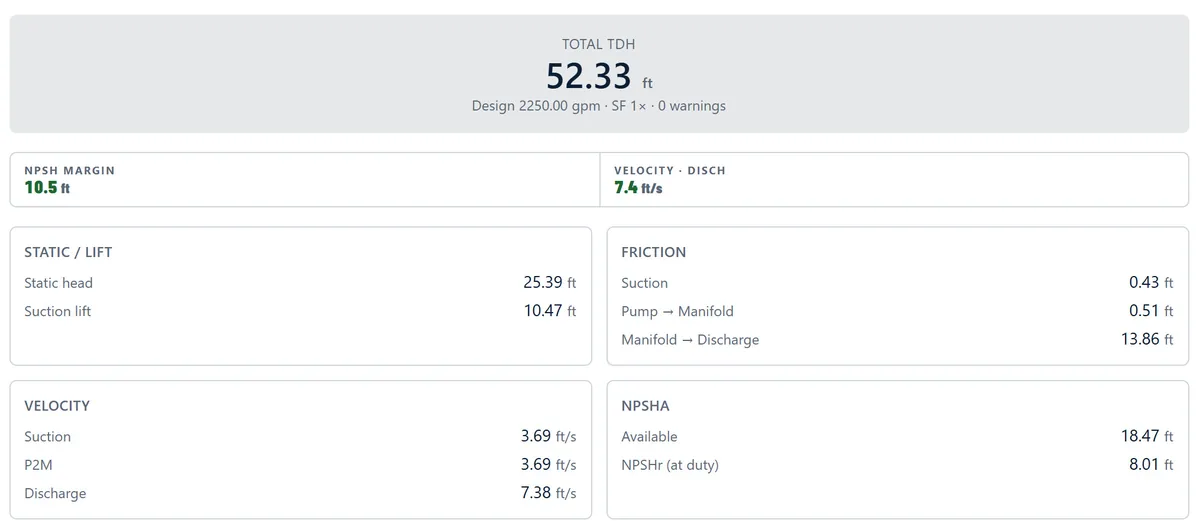
Watch the numbers move.
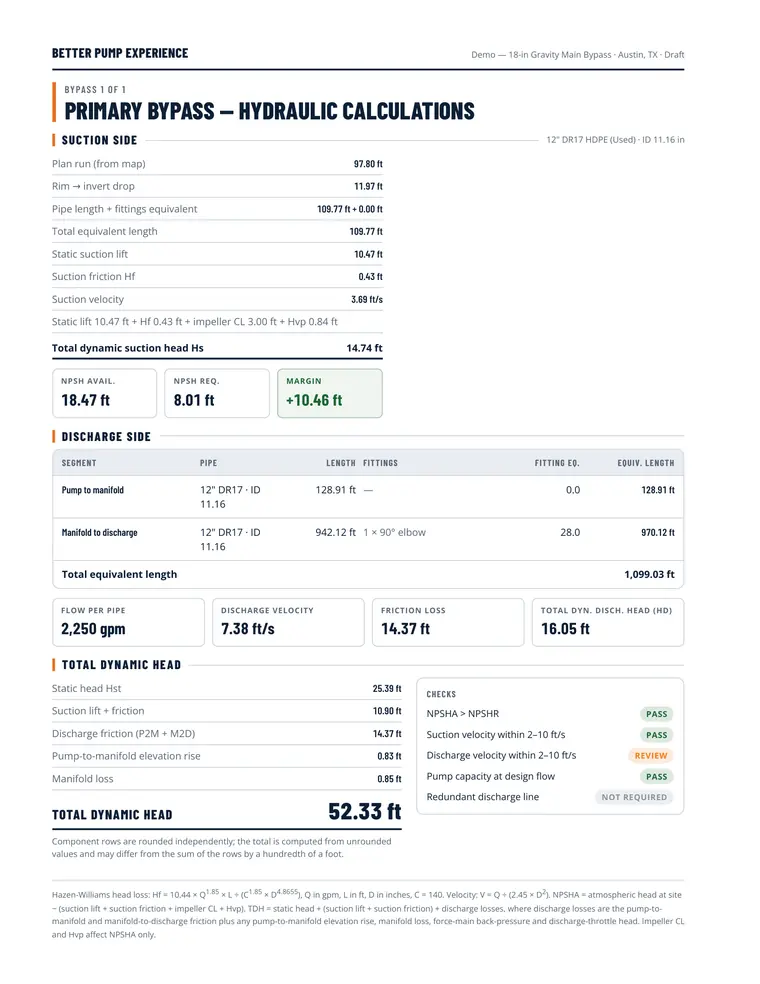
Every change recalculates static head, friction on each leg including fittings, velocity, total dynamic head, and NPSH available against required. NPSH available is corrected for site elevation and water temperature, and margins turn green, amber or red the moment a problem appears.
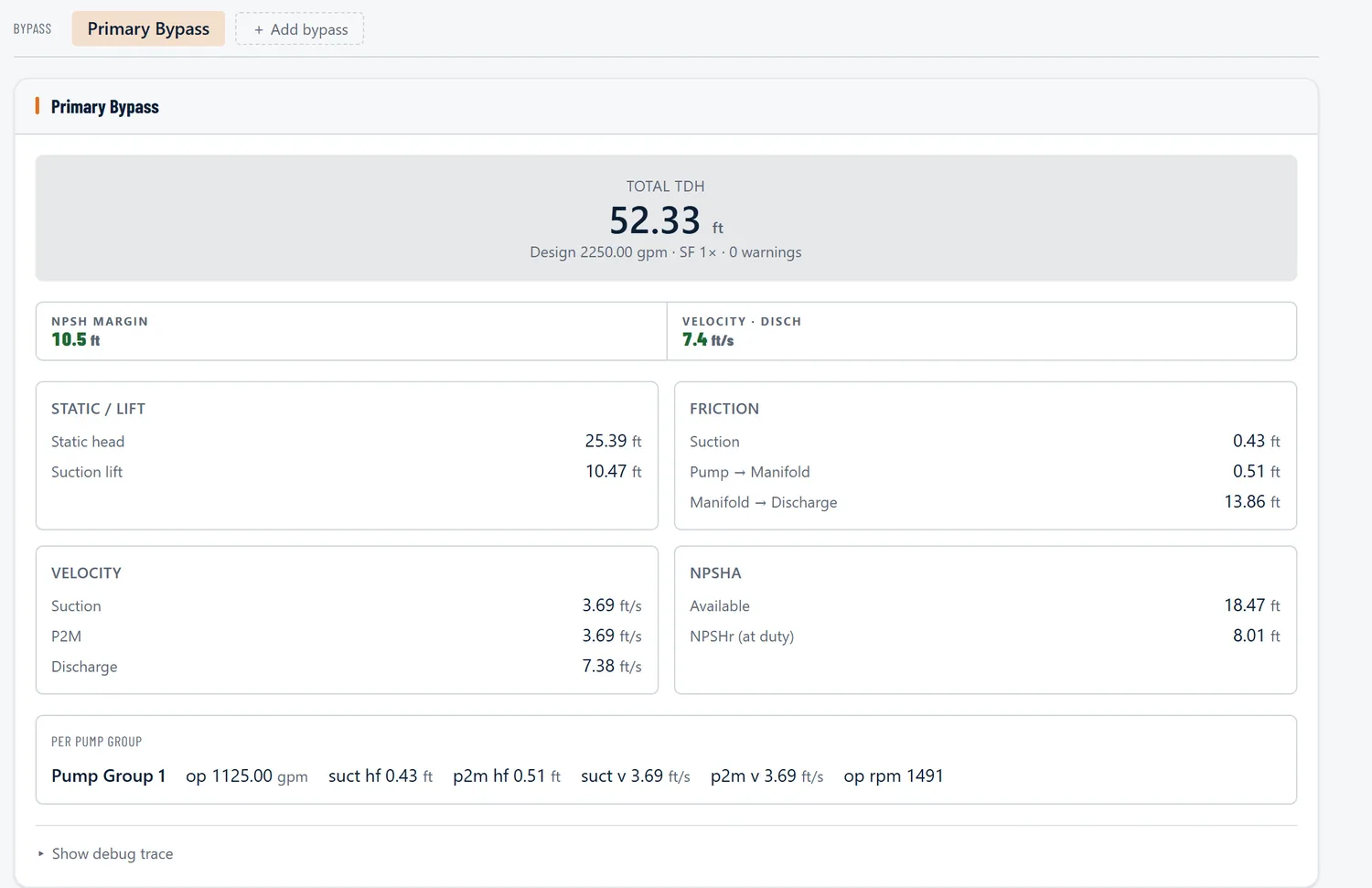
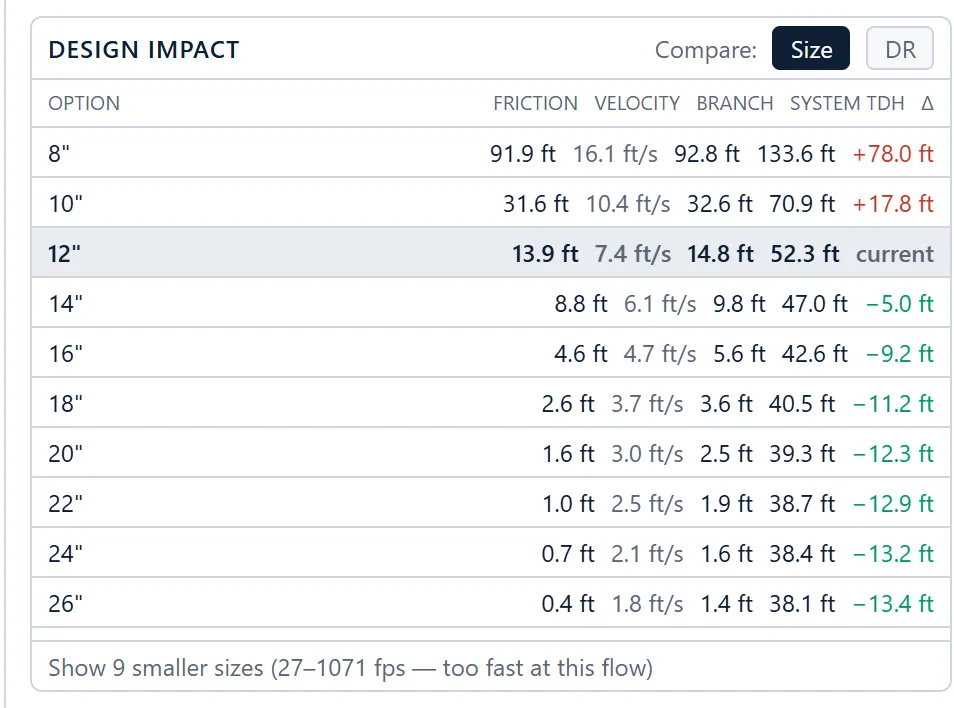
Design impact: what each pipe size does to system TDH.
- Hazen-Williams friction with Hydraulic Institute fitting losses
- Peak-hour or average daily flow, with an automatic peaking factor
- Compare pipe sizes by how much each one changes TDH
- Your choice of units: gpm or L/s, feet or metres, and more
Step three
Land on a pump that holds the duty.
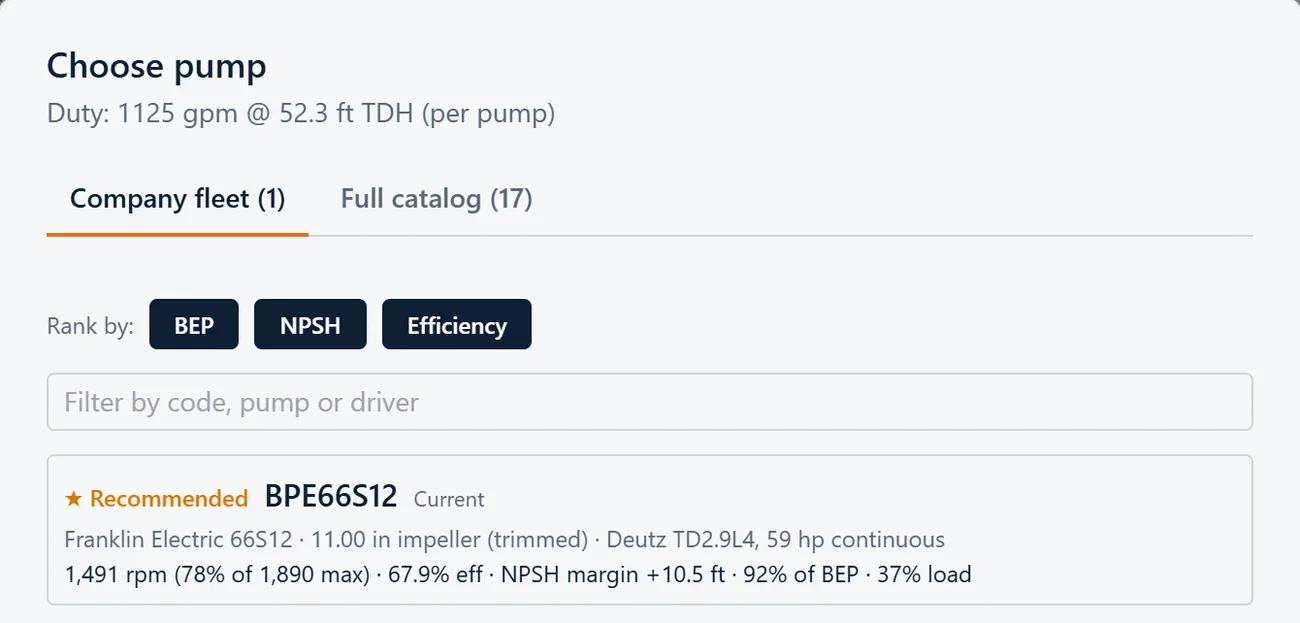
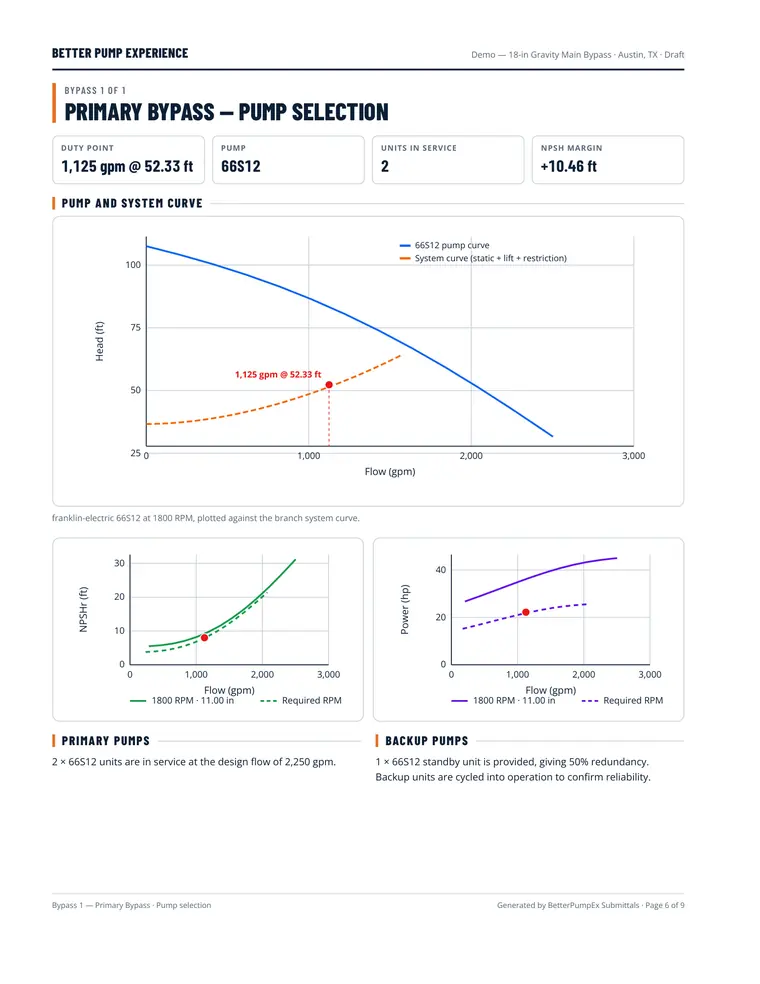
The picker ranks your fleet for this job — Recommended, Needs attention, or Can't meet this duty — each with the reason in plain words. Pick one, and its head, NPSH and power curves show where it will run. Trim the impeller, add a discharge throttle, or apply the Tier-4 minimum-load fix in one click.
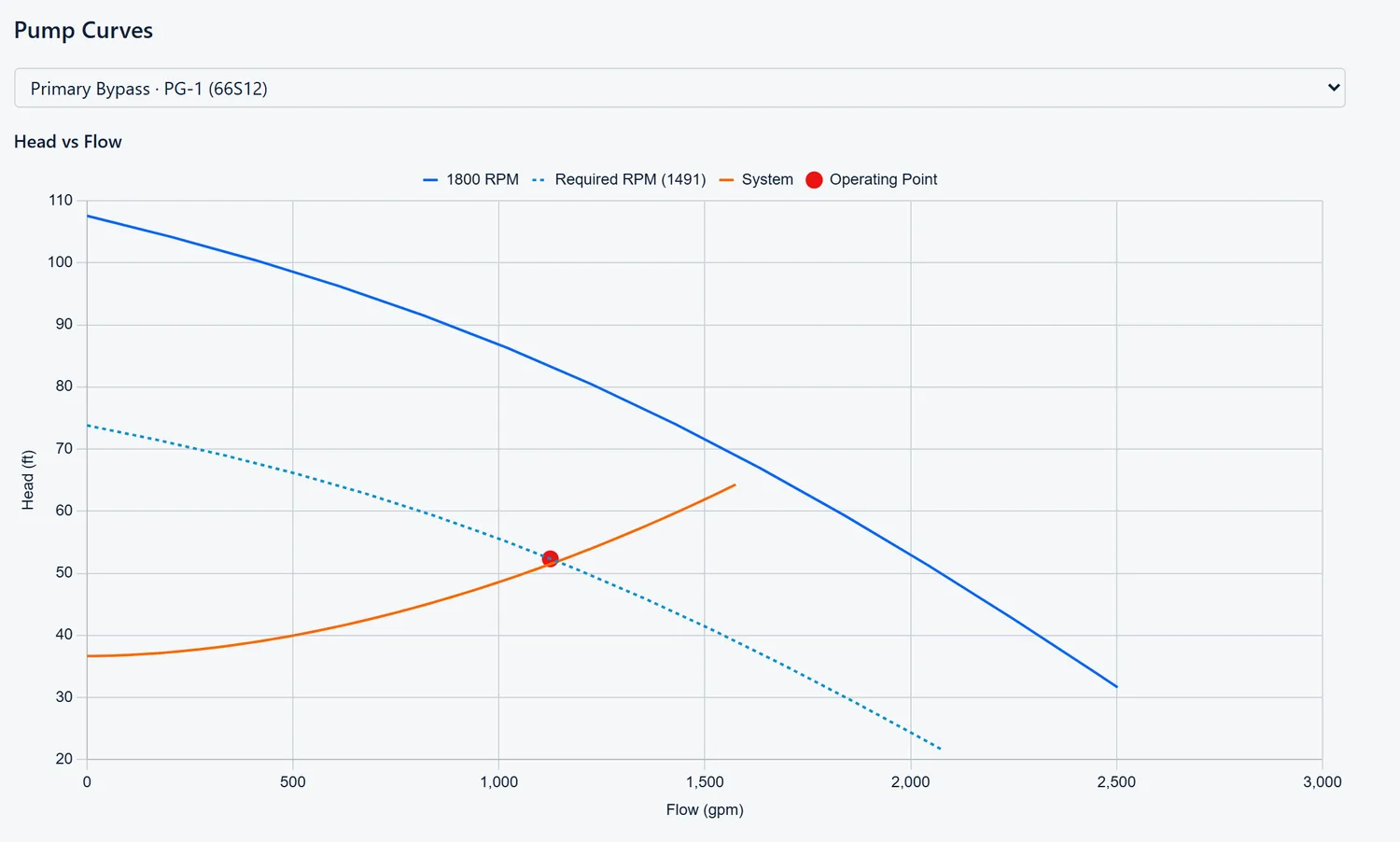
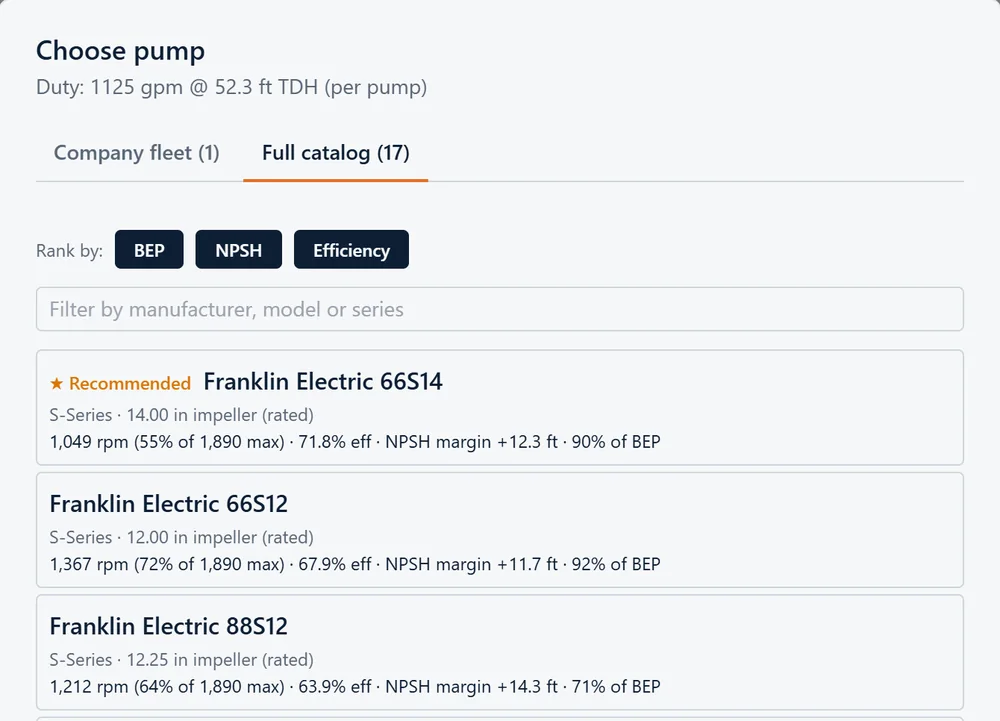
Warnings the app raises before a pump ships.
Step four
Close out the checklist.
One list shows everything left to do, blockers first, and each item opens the screen that fixes it. The written description of the system is drafted from your design, and you can edit it.
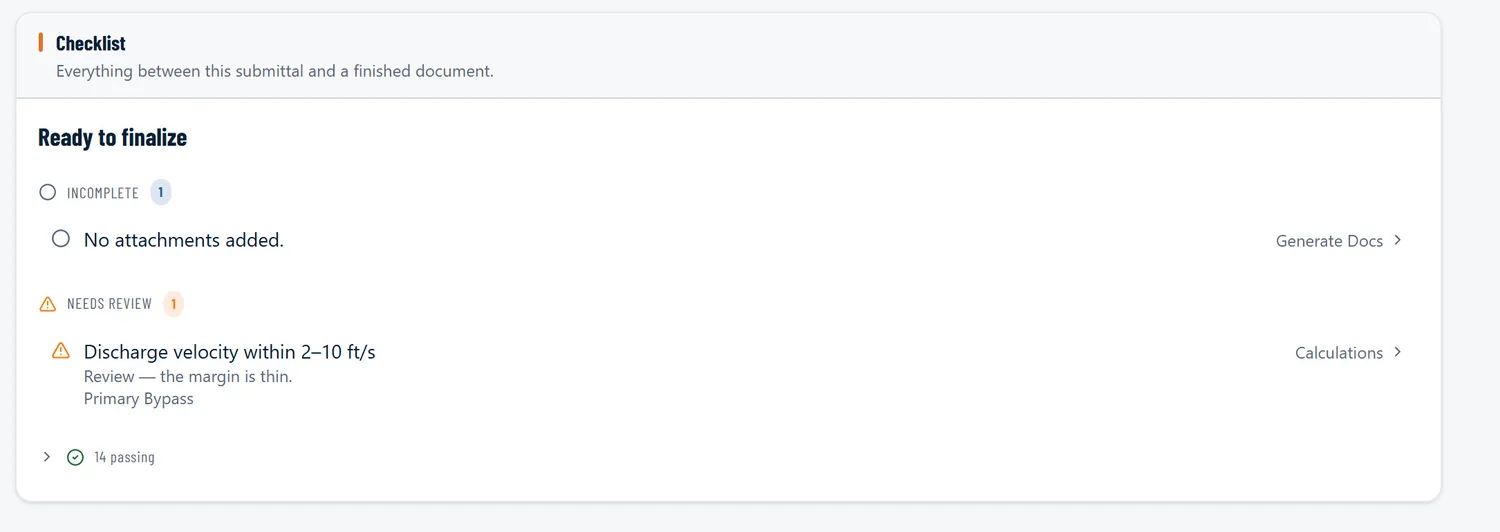
Your fleet, loaded
It picks from pumps you actually own.
We set up your pump packages for you: the pump, the engine or motor, and the impeller trim. The picker shows what's in your yard before anything else. Trim and driver ratings feed straight into the calculations, so the curves in the submittal belong to the pump you're actually sending, not a factory default.
Sign-off
Anyone builds it. Your engineer signs off.
Sales and ops staff build the whole system and the submittal. Only engineer accounts can issue one.
Issued under a real registration
The engineer re-enters their password, picks the right state PE registration, and issues the document with their seal and signature.
“Approved by” is never typed
It is filled in from whoever issued the document, so the name on the package is the person who actually stood behind it.
Every seal recorded
Each sealing is recorded, and every issued revision is kept, so you can see what was issued and when.
Share without collisions
Share a job with named coworkers. One person edits at a time, so nobody overwrites anyone.
The submittal
One document, ready to send.
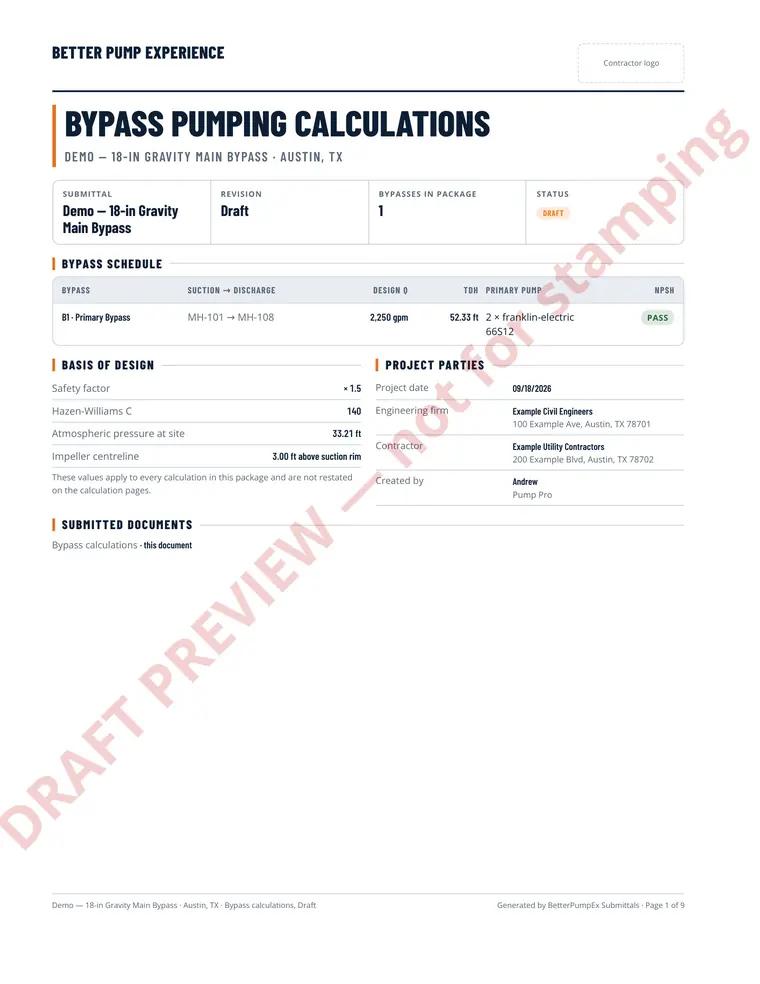
Everything the design produced, assembled into a single PDF — page by page.
- Cover, with your company logo
- Engineer's summary and seal
- Specifications and design basis
- Hydraulic calculations for each branch
- Pump curves with the operating point
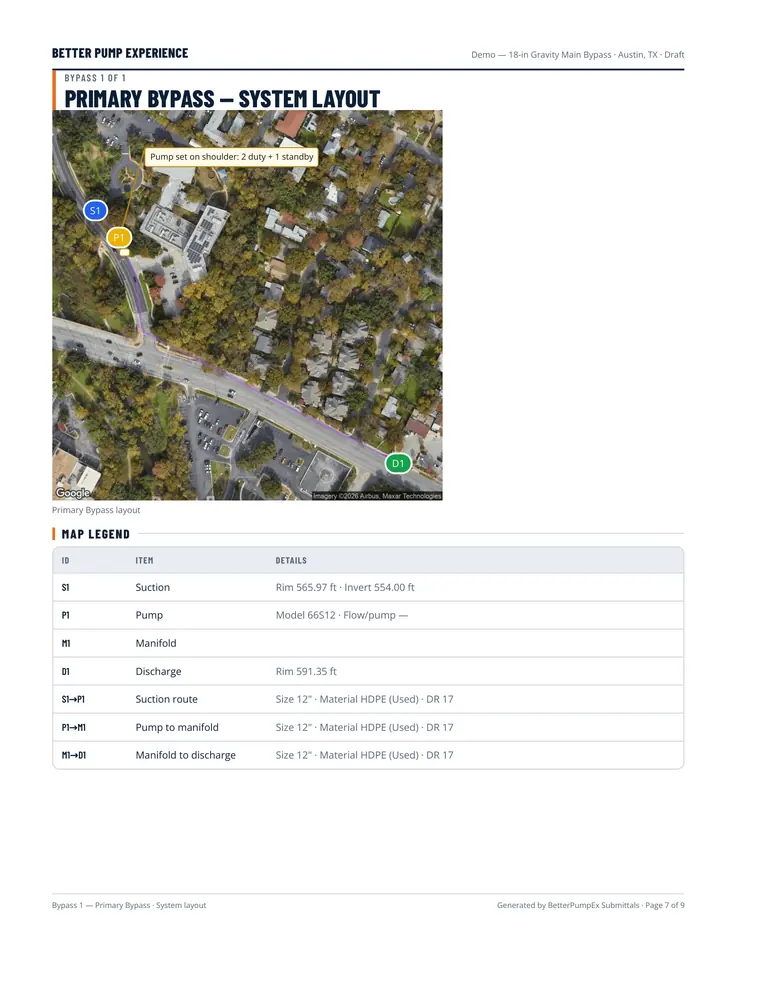
- Map sheets with a legend and notes
- Pipe and trench summary
- Your cut sheets and supporting documents, in an appendix
A view-only map link for the job team
Send the crew the layout on the map. It shows what goes where — not the pumps, not the calculations.
See it on one of your jobs.
Tell us a little about your fleet and we'll walk you through a real bypass.